
Operation Manual




127
5DGLRPRGH
,QWHUUXSWLQJ73DQQRXQFHPHQWV
During a TP announcement, briefly press the button.
The announcement currently being broadcast will be
interrupted and the system will automatically return to the
previously selected mode.
73DQQRXQFHPHQWYROXPH
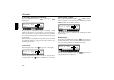
Activate the TP menu. Press the multifunction button.
Using the right rotary control , four different settings
(
- ) can be selected. This means that the volume can be
raised to a fixed value according to the setting.
• Setting
- no volume increase
• Setting
- slight volume increase
• Setting
- medium volume increase
• Setting
- large volume increase
6ZLWFKLQJ70&RQRII
1RWH You can find further information on TMC under
“Dynamic navigation with TMC” auf Seite 101.
Activate the TP menu.
6ZLWFKLQJRQ:
Press the multifunction button repeatedly until
!
65
is displayed.
If TMC is switched on, a traffic programme transmitter
cannot be selected freely. A TMC station is selected by the
unit, provided one can be received. This transmitter then
corresponds to the traffic programme transmitter.
6ZLWFKLQJRII
Press the multifunction button repeatedly until
!
6--
is displayed.
If TMC is switched off, a traffic programme transmitter can
be selected freely.
1RWH Dynamic navigation functions (dynamic route,
traffic information) cannot be selected or called
up.
73
#63
EM
!7 ;( #63 !4*
,+
!7 ;( #63 !4*
!4*
!4*