
Operation Manual




125
5DGLRPRGH
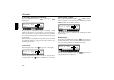
When TMC is switched on:
• With TMC, the unit is capable of selecting a suitable
traffic programme transmitter automatically. If possible, a
TMC station is selected as the traffic programme
transmitter. The selected TMC station usually offers the
best traffic information for the region in which you are
travelling. If no TMC station is available, the traffic
programme transmitter with the strongest signal is
selected.
If an RDS transmitter is equipped with a traffic programme,
this is indicated on the display by
!.
An inverse
TP appears on the display to indicate that the
traffic programme is active.
$FWLYDWLQJTXLWWLQJWKH73PHQX
$FWLYDWLQJ Press the button (traffic announcements
cannot be transmitted).
Press the multifunction button.
4XLWWLQJ Press the button or the TP menu will be
automatically terminated after 8 seconds without actuation.
6ZLWFKLQJ73RQRII
In all modes and wavebands, TP can be switched on/off by
pressing the button for more than 2 seconds.
TP can also be switched on/off in the TP - menu.
6ZLWFKLQJ RQ To switch on TP in the TP menu, press
the multifunction button repeatedly until
! 65 is
displayed.
6ZLWFKLQJRII To switch off TP in the TP menu, press the
multifunction button repeatedly until
! 6-- is
displayed.
TP is switched off after returning to normal display.
73
,+
!7 ;( #63 !4*
!7
73
73
!7
,+
!7 ;( #63 !4*
!7
,##
!7 ;( #63 !4*