
Operation Manual




102
1DYLJDWLRQRSHUDWLRQ
'\QDPLFURXWHJXLGDQFH
Dynamic route guidance can be started by selecting
!!S&YY in the route menu.
If dynamic route guidance has been activated, a continuous
check is made for the presence of relevant announcements for
the selected route. The route is then calculated using the "fast
route" option, while taking into account current traffic
announcements. If the check determines that a traffic
announcement is relevant for the route guidance, then a new
route to the destination is calculated automatically by the unit.
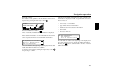
$"! appears on the display. In addition, there is a voice
announcement "7KHURXWHLVEHLQJUHFDOFXODWHGGXHWRFXU
UHQWWUDIILFDQQRXQFHPHQWV". is displayed inversely.
1RWH If no TMC station was found, then
!
!!! !
is displayed. After a short time, the unit
switches back to the route guidance display.
If a TMC station still cannot be found after
10 minutes,
!!!
! !
is displayed,
accompanied by a brief signal tone.
Your navigation system can receive TMC information,
whether a TMC station is selected or not. However, in order
to guarantee optimal reception of TMC information, we rec-
ommend the selection of a TMC station. During radio opera-
tion (FM), a selected TMC station can be recognised by the
abbreviation
! (see page 128).
'LVSOD\LQJWUDIILFLQIRUPDWLRQ
Current traffic announcements can be displayed in plain text.
There are several options for requesting current traffic infor-
mation.
Traffic information can be requested via the multifunction
buttons and in the route guidance display and,
in the case of inactive route guidance, via the multifunction
button in the information menu.
Route guidance display:
A list of all currently available traffic information is displayed
by pressing the multifunction button .
A list of all current traffic information which is relevant for
the calculated route is displayed by pressing the multifunction
button .
1RWH If no traffic information is currently available,
! #
is displayed.
QFV
P