
Operation Manual




61
NAVIGATIONAL MODE >>>
> D
> GB
> F
> I
> E
> P
> NL
> DK
> S
> N
> FIN
> TR
> GR
> PL
> CZ
> H
> SK
> With the option buttons, press on ei-
ther or to enable or disable the
setting.
> Confirm your selection by pressing the
OK key.
The Speed key
Use the Speed configuration window to
choose whether or not you wish to have
speed limits displayed during navigation.
You can also choose whether or not to re-
ceive an acoustic warning if you exceed
the speed limit.
> Press Speed in the settings menu.
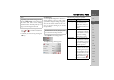
The Speed settings menu appears.
The following settings are possible.
Note:
Depending upon which setting you have
selected in Map mode, certain settings in
this menu and some of the settings
described under "The Map info key" on
page 59 can no longer be selected.
Note:
This information can only be displayed if
it is contained in the map material.
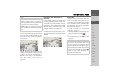
Setting Meaning
Show signs Select whether the speed
limits should be dis-
played never, always or
only when the limit is ex-
ceeded.
In town Select the amount over
the speed limit at which
you would like to receive
an acoustic warning
within built-up areas.
Out of town Select the amount over
the speed limit at which
you would like to receive
an acoustic warning out-
side built-up areas.
Warning Choose whether you
would also like an acous-
tic warning when you ex-
ceed speed limits that are
only valid when it is rain-
ing, snowing or at specif-
ic times of the day (
function activated).