
Operation Manual






70
Music operations
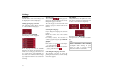
Repeat current track
The piece of music currently being play-
ed is repeated continuously when the
following key is pressed.
! Press the key featuring the repeat icon.
Playback of the piece of music is repea-
ted continuously. The repeat icon ap-
pears in the track line on the right next to
the track.
! If you want to stop the repeat function,
a
gain press the key featuring the repeat
icon.
Setting volume
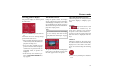
The control bar for volume is displayed
in the lower part of the MP3-Players by
pressing this key.
! Press the key featuring the loudspea-
ker icon.
The control bar appears in the MP3-
Player.
A bar diagram displays the current volu-
me in relation to total volume. This rela-
tionship is also displayed numerically
above the diagram.
You can use the keys to
change the volume in the direction indi-
cated by the arrow.
! To reduce the volume, press the left-
hand arrow key.
! To increase the volume, press the
right-hand arrow key.
The control bar disappears:
• when you press the OK key.
or
• if you don't press any keys for three
seconds.
7009 7010
7014
8010+1
Warning!
Set the volume so that you can still hear
all ambient noise clearly.