
Operation Manual




58
Navigational mode
Displaying TMC messages on
the map
Current TMC messages are displayed on
the map in graphic form. Sections of the
route where there are problems with
traffic are highlighted green. A black
arrow also indicates the direction of
travel. In addition to the coloured mark,
a warning sign is displayed on the
stretch of road affected.
Using TMC
Once you have connected the TMC
antenna, your Traffic Assist Highspeed
II will receive current traffic
announcements and dynamic route
calculation will be enabled (traffic jam
diversion). You can also view traffic
announcements directly.
To preset the TMC, See "The TMC
button" on page 55.
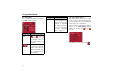
! Press the map on the map display.
! Press the TMC button.
All current traffic announcements are
displayed.
Press the arrow buttons to the left and
right of the announcement number to
browse through the traffic
announcements.
The road number (motorway, A-road or
district roads), section of road if
applicable, traffic direction and the type
of problem are displayed in each traffic
message.
Updating the announcement list
! To update traffic announcements,
press .
6071
6071
6071
6
070