
Operation Manual




56
Navigational mode
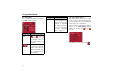
The Factory settings key
You can use the Factory settings confi-
guration window to cancel all new set-
tings and reset the system to the factory
settings.
! Press the Factory settings button.
! To revert the Traffic Assist Highspeed
II to factory settings, press the
key.
Navigation menu: Status
The Status menu shows the number of
satellite signals picked up, your current
position and current speed.
! To view the list of TMC messages in
the Status menu (see also page 58),
press .
! To save your current location, press
the Save current position button.
Save your location in the same way as
described in See "Saving destination" on
page 41.
Navigation menu: Load map
The Load map menu shows the map
that is currently loaded.
6001
602
6002
6086
6066
6023
6002
6023