
Operation Manual



65
>>> MUSIC OPERATIONS
> US
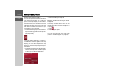
A bar diagram displays the current volume
in relation to total volume. This relation-
ship is also displayed numerically above
the diagram.
You can use the keys to change
the volume in the direction indicated by
the arrow.
> To reduce the volume, press the left-
hand arrow key.
To increase the volume, press the right-
hand arrow key.
The control bar disappears:
• When you press the
OK key.
or
• If you don't press any keys for three sec-
onds.
Navigation during MP3 Player operation
You can start or continue an active naviga-
tion while the MP3 player is playing mu-
sic.
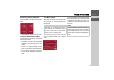
> Press the card symbol on the lower
right-hand edge of the screen for this
purpose.
The map view is displayed while the music
continues to play.
Shutting down the MP3 Player
Press the button to shut down the
MP3 player. The main menu appears.
WARNING
The volume of the navigation unit
should be set so that noises outside the
vehicle can be heard.
7014
8010+
1
Note:
This function is only possible, if you have
a memory card that contains additional
map material as well as music tracks.
Note:
In the case of simultaneous operation of
the Navigation and MP3 replay, interfe-
rence can occur and music replay can be
interrupted.
7001
Note:
Bear in mind that music will continue to
play when you exit the MP3 menu. Press
the pause icon to stop music playback
(See “Pause” on page 63.).