
Operation Manual



62
> US
MUSIC OPERATIONS >>>
Music operations
Selecting music playback
Music playback is called up from the main
menu.
> Press the
Music key in the main menu.
Calling up without active navigation
The MP3 player is called up and appears
with its main screen.
• If playback of a music track was stopped
previously, that last music track is dis-
played.
• If this is no longer available, the first
track on the memory card is displayed.
• If the memory card contains no tracks,
the
No music available message ap-
pears.
The MP3 player
The MP3 files saved on a memory card
can be called up and played using the
MP3 player.
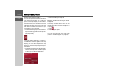
The MP3 player is shown below along
with its standard display and a sample
track.
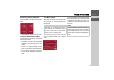
In the upper section of the MP3 player the
title of the piece of music currently loaded
is displayed along with the artist the
number in the current folder level in the
track line.
Note:
Please refer to "Transferring pieces of
music and pictures" on page 29" to find
out how to save tracks to the internal
memory or on to a memory card.
Note:
The artist and track name are taken from
the ID3 tag of the MP3 file. If the MP3
track played does not have an ID3 tag,
the file name of the track is displayed di-
rectly.