
Operation Manual






38
> US
NAVIGATIONAL MODE >>>
You can also:
• Display the destination on the map
• Define options of the drive profile
• Save the destination in the destinations
memory
• Start directions to the destination im-
mediately.
Selecting the town
The destination town can be entered using
its name or postcode. During this process,
when each letter is entered, a possible
town is displayed and/or when each char-
acter is entered, a possible postcode is dis-
played. Traffic Assist Highspeed rules out
all impossible combinations of letters and
postcodes and only activates those boxes
of letters and/or characters which will pro-
duce an existing town and/or postcode.
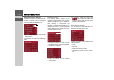
> Press the town and/or postcode.
> Enter the letters of the destination town
and/or the letters/numbers of the post-
code one after another.
The OK key
The
OK key can be used to transfer the
destination selected into the route calcula-
tion menu. If the destination required ap-
pears in the upper edge of the display once
the first letters or numbers have been en-
tered, you can transfer the
destination im-
mediately with
OK
without
using the list
function.
> Press the
OK key to transfer your desti-
nation into the route calculation menu.
6006
Notes:
• If you have entered a ZIP code, the
name of the city will initially be hidden
in the input menu. Next, enter the
street name. The name of the city will
then also be displayed.
• If necessary, you can disable the smart
speller in the navigation settings.
Note:
If two words have to be entered, these
should be separated by a "_" character.