
Operation Manual






37
>>> NAVIGATIONAL MODE
> US
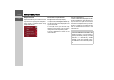
Navigation menu: Address
A selection window for specifying the
des-
tination is opened from the Navigation
menu
by pressing the Address key.
> In the navigation menu, press the
Ad-
dress
button.
The selection window for the address ap-
pears.
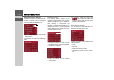
Selecting a country
The
Country button displays all the
available countries/states on the currently
selected navigation map for navigation.
After selecting a country/state, the
selection is automatically adopted in the
address input menu. If a country/state was
already entered, this is entered in the top
line and is therefore valid.
> Press the top button in order to access
the selection list for the countries/states.
The selection list appears.
> Press the button for the desired
country/state.
> If necessary, press the arrow keys
at the right-hand edge of the
screen in order to scroll through all the
available countries/states.
Select address and start
You can enter the exact destination ad-
dress in the address entry screen.
The following details can be entered in the
address window:
•Town
• Postcode
• Street and building number
• Intersecting roads as an aid to orienta-
tion
6002
6003
6004
6004
6003
7006
6004