
Operation Manual






27
>>> GENERAL OPERATIONS
> US
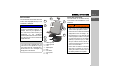
Special characters
Special characters do not have to be used
when entering the names of towns and
streets. The Traffic Assist Highspeed will
change entries from AE, OE, and UE, if
necessary.
Special characters can be useful when
naming destinations and routes.
> To change to the special character key-
pad, press the key.
The special character keypad is displayed.
> Enter the special character you want.
As soon as you have entered a special char-
acter, the system automatically switches
back to the letters keypad.
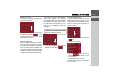
Entering numbers
You have to change to the numerical key-
pad to enter numbers.
> Press the key.
The numerical keypad is displayed.
> To return to entering letters, press
.
Deleting characters
To delete the last character, use the back
key.
> To delete the character to the left of the
cursor, press the key.
Inserting spaces
If you have an entry with two words, e.g.
for names of towns, the words should be
separated by a space.
> To enter a space, press the key.
5004
5023
5023
7
0
6007
50
1