
Operation Manual






18
> US
GENERAL OPERATIONS >>>
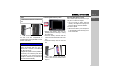
There is a card slot on the left-hand side of
the unit. The card compartment is
equipped with a spring-actuated lock and
ejection mechanism.
Inserting the memory card
> Remove the memory card from its
packaging without touching or soiling
the contact bar.
> Hold the memory card such that the
contact bar faces toward the rear of the
unit.
> Guide the memory card into the card
slot.
> Exert a little pressure and slide the
memory card into the card slot until it
snaps in.
Ejecting the memory card
The card slot ejects the card so that you
can pull it out with two fingers.
> Use your finger to gently press the
memory card against the spring force
into the card slot and then release it.
The card is ejected.
> Remove the memory card and place it
in the packaging while ensuring not to
touch contact bar.
Note:
A small slider is located on one side of the
card.
NOTICE
The memory card should only ever be in-
serted and ejected when the unit is
switched off. If the unit is not switched
off, data may be lost.
Navigational operations are not possible
if
the memory card containing card data is
not inserted. If you remove this during
navigation, directions to your
destination
will be aborted immediately.
10101
10102
5011
10129
4004
10114
5010