
Operation Manual




60
0XVLFRSHUDWLRQV
5HSHDWFXUUHQWWUDFN
The piece of music currently being
played is repeated continuously when
the following key is pressed.
X Press the key featuring the repeat icon.
Playback of the piece of music is repeat-
ed continuously. The repeat icon ap-
pears in the track line on the right next to
the track.
X If you want to stop the repeat function,
a
gain press the key featuring the repeat
icon.
6HWWLQJYROXPH
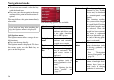
The control bar for volume is displayed
in the lower part of the MP3 player by
pressing this key.
X Press the key featuring the loudspeak-
er icon.
The control bar appears in the MP3 play-
er.
A bar diagram displays the current vol-
ume in relation to total volume. This re-
lationship is also displayed numerically
above the diagram.
You can use the keys to
change the volume in the direction indi-
cated by the arrow.
X To reduce the volume, press the left-
hand arrow key.
X To increase the volume, press the
right-hand arrow key.
:DUQLQJ
6HW WKH YROXPH VR WKDW \RX FDQ VWLOO
KHDUDOODPELHQWQRLVHFOHDUO\
The control bar disappears:
• when you press the 2. key.
or
• if you don't press any keys for three
seconds.
6KXWWLQJGRZQWKH03SOD\HU
Press the back key to shut down the MP3
player. The main menu appears.
7009 7010
7014
8010+1
G