
Operation Manual




53
1DYLJDWLRQDOPRGH
8VLQJWKHPDSGLVSOD\
5HSHDWWKHODVWYRLFHSURPSW
While you are receiving driving direc-
tions, voice prompts give you important
information such as details of the next
driving manoeuvre. You can repeat the
last voice prompt if necessary.
X While driving guidance is activated,
press the preview screen. The volume
is also displayed.
$GMXVWYRLFHSURPSWYROXPH
You can adjust the volume of the voice
prompts.
X While driving guidance is activated
and the preview screen is displayed,
press on the volume icon in the top
right-hand corner. (If the preview
screen is not displayed, wait until the
voice prompt for the next driving ma-
noeuvre.)
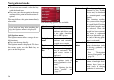
The volume control bar now appears.
The current volume is displayed in a bar
chart as a percentage of the full volume
range. The percentage appears numeri-
cally in the chart.
Use the keys to adjust the volume
in the direction of the arrows.
X To reduce the volume, press the left
cursor.
X To increase the volume, press the right
cursor.
,PSRUWDQW
0DNHVXUHWKDW\RXDGMXVWWKHYROXPH
VR\RXFDQVWLOOKHDUDOODPELHQWQRLVH
SURSHUO\
The control bar disappears:
• after 3 seconds if no key is pressed.
,QIRUPDWLRQURZV
While directions are being given, a max-
imum of three information rows may be
displayed (or hidden) with the following
details:
• Current street or next street
• Estimated arrival time, journey time to
destination, remaining distance to des-
tination (this row is displayed with a
flag).
• Estimated arrival time at interim desti-
nation (stopover), journey time and re-
maining distance to interim destination
(this row is displayed with a flag and an
additional marking peg).
6032
6032
7014
7006
G