
Operation Manual




52
1DYLJDWLRQDOPRGH
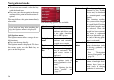
A preview screen with information is
also displayed in the bottom left-hand
corner whenever a driving manoeuvre is
coming up.
The distance remaining is indicated by
means of the number of kilometres (or
miles) below an arrow. If there are two
impending driving manoeuvres in quick
succession, a small arrow appears over
the first manoeuvre to indicate that an-
other one is coming up.
Additional rows displayed at the bottom
of the screen provide more information.
Depending on the settings selected in the
6HWWLQJV menu options, a total of three
information rows may appear, each con-
taining specific details.
0DSGLVSOD\ZLWKWRROEDU
Press the following key to activate the
toolbar. Press again to deactivate the
toolbar.
The following function keys are dis-
played in addition to the map display.
The following function keys appear in
the toolbar:
6032
6033
6
031
6036
,FRQ 0HDQLQJ
See "Display route (tool-
bar)" on page 54.
See "Position and display
mode (toolbar)" on page 54.
See "Daytime - Night-time
design (toolbar)" on page 55.
See "Change display (tool-
bar)" on page 55.
See "Point northwards (tool-
bar)" on page 55.
See "Move map (toolbar)"
on page 55.
6040
6041
6042
6043
6044
6045