
Operation Manual



49
1DYLJDWLRQDOPRGH
X Press a button and choose the setting
you require.
X Confirm your selection by pressing
the 2. key.
,PSRUWDQW
6RPHRIWKHLQIRUPDWLRQFRQWDLQHGLQ
WKH PDS PDWHULDO PD\ EH LQDFFXUDWH
GXH WR VKRUWWHUP RU UHFHQW FKDQJHV
VXFKDVURDGZRUNVIRUH[DPSOH
6XSSO\LQJLQIRUPDWLRQ LVVHFRQGDU\WR
WKH QDYLJDWLRQ V\VWHPV PDLQ IXQF
WLRQ ZKLFK LV WUDIILF PRQLWRULQJ DQG
VLJQSRVWLQJ
7KH+RPHDGUHVVNH\
Enter your +RPHDGUHVV to navigate au-
tomatically from any location to your
home.
X Press the +RPHDGUHVV button.
This opens the +RPHDGUHVV window.
X Press the &KDQJH button.
This opens the Destination selection
window.
X Enter your home address (see also
page 34).
X Press the 6HW button.
The address is copied and displayed in
the +RPHDGUHVV window.
X Confirm your home address with the
2. key.
This home address is now available to
the system. See "Navigation menu:
Home" on page 51.
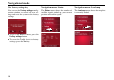
Warning out-
side built-up
areas
The :DUQLQJ RXWVLGH
EXLOWXSDUHDV button in-
dicates the speed limit
above which you will
receive an acoustic
warning when driving
outside built-up areas.
Warning The :DUQLQJ button in-
dicates the speed limit
above which you will
receive an acoustic
warning when particular
conditions apply: during
rain or snowfalls, or at
certain specific times of
the day.
1RWH
This information may only be displayed
if it is actually contained in the map ma-
terial.
G
6021