
Operation Manual



45
1DYLJDWLRQDOPRGH
X For the option buttons, press or
to activate or deactivate the re-
quirements.
X Confirm your selection by pressing
the OK key.
7KH6LJQSRVWLQIRNH\
In the 6LJQSRVWLQIR setting window, you
can set whether information about signs
which you are to follow should be dis-
played or not during navigation.
X Press the or button to change
into the other mode.
X Confirm your selection by pressing
the 2. key.
7KH5RXWLQJRSWLRQVNH\
You can set your drive profile in the
5RXWLQJ RSWLRQV settings window. The
setting made here will impact on the cal-
culation of probable journey times.
X Select the 3URILOH field and choose
your mode of transport.
X Select the 7\SH RI URXWLQJ field and
choose one of the following options:
X Select the fields Motorways, Ferries
and Toll roads one-by-one and choose
one of the following options for each:
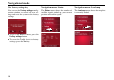
Info about
main destina-
tion
Displays ETA, distance
remaining, time until ar-
rival at the main desti-
nation.
Info on leg Displays ETA, distance
remaining, time until ar-
rival at the part-way
destination.
5059
5060
6016
1RWH
This information can only be displayed
if it is contained in the map material.
5059 5060
6063
6HWWLQJ 0HDQLQJ
Fast route With this option, the
shortest route possible
for the time required is
calculated.
Short route With this option, the
shortest route is calcu-
lated in terms of kilome-
tres travelled.