
Operation Manual






32
1DYLJDWLRQDOPRGH
'LVSOD\LQJRUHGLWLQJGHVWLQDWLRQ
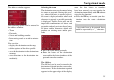
Each destination in the destinations
memory can be displayed or edited.
X Press the icon to the left of the destina-
tion required.
X A selection menu appears.
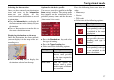
&KDQJHWRPDSGLVSOD\
You can change to map display from
rapid access using the following key.
X Press the key featuring the map icon.
The map display and all its functions ap-
pear.
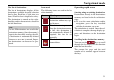
'LVSOD\LQJFXUUHQWSRVLWLRQ
You can have your current position dis-
played in the map display.
X In rapid access, press the key featuring
the map icon on the upper edge of the
screen.
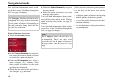
&DOOLQJXS1DYLJDWLRQPHQX
The extended options of the navigation
menu are provided by pressing the Nav-
igation menu key.
• See "TheNavigation menu" on
page 33.
6HOHFWLRQ 0HDQLQJ
Display de-
tails
All the data relating
to the destination is dis-
played.
Map The map display and
toolbar are called up
and the destination dis-
played.
Protect entry The destination is pro-
tected against automatic
deletion.
Name entry The destination can be
renamed.
Delete entry The destination is delet-
ed from the destinations
memory.
Delete list All destinations (even
the protected ones) are
deleted from the list.
6027
6028
6027