
Operation Manual






31
1DYLJDWLRQDOPRGH
7KHOLVWRIGHVWLQDWLRQV
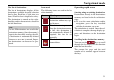
The list of destinations displays all the
destinations available for quick selection
line-by-line. Each line is split into two
boxes. Each list box is depicted as a key.
The destination is named on the right-
hand key and its characteristics shown in
the left-hand icon.
,FRQVXVHG
The following icons are used in the list
of destinations.
2SHUDWLQJUDSLGDFFHVV
6WDUWLQJXVLQJDQH[LVWLQJGHVWLQDWLRQ
Destinations already in the destinations
memory are listed in the list of destina-
tions.
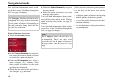
X To start the route calculation and/or
navigation, press the key inscribed
with the destination you want.
The calculation is started. Once the cal-
culation is complete, the map display ap-
pears and directions to the destination
begin.
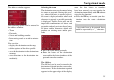
6FUROOLQJLQWKHGHVWLQDWLRQVPHPRU\
You can use the keys to scroll
through the list display in the direction
indicated on the arrow.
The current list page and the total
number of its contents appear between
the keys.
1RWH
The last 50 destinations are saved in the
destinations memory. Once the memory’s
capacity has been fully used up, the old-
est destination is automatically deleted
whenever a new one is entered. Impor-
tant destinations can however be pro-
tected.
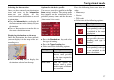
,FRQ 0HDQLQJ
This destination is a standard
destination without any spe-
cial features.
This destination is protected.
Once the destination memory
is full, this destination is
not automatically deleted. If
required, this can be set
manually.
This destination is the current
home address.
6026
6025
6038
7006