
Operation Manual




17
*HQHUDORSHUDWLRQV
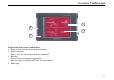
,QVHUWLQJPHPRU\FDUG
X Take the memory card out of its pack-
aging without touching the contact
strip or dirtying it.
X Hold the memory card so that the con-
tact strip is facing towards the unit
front.
X Guide the memory card into the card
slot.
X Exert a little pressure and slide the
memory card into the card slot until it
snaps in.
(MHFWLQJPHPRU\FDUG
The card slot ejects the card so that you
can pull it out with two fingers.
X Use your finger to gently press the
memory card against the spring force
into the card slot and then release it.
The card is ejected.
X Pull the memory card out and place it
in its packaging without touching the
contact strip.
3RZHUVXSSO\
%DWWHU\VXSSO\
The internal power supply is provided
by two batteries. Their slide-in compart-
ment can be found on the rear of the unit.
The compartment has a sliding cover.
4007
4004
5010
1RWH
First always switch off the Traffic Assist
before connecting up or removing the
power supply.
5001