
User`s manual
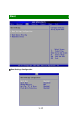
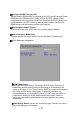


Configure DRAM Timing by SPD
Selects whether DRAM timing is controlled by the SPD (Serial Presence Detect)
EEPROM on the DRAM module. Setting to [Auto By SPD] enables DRAM
timings and the following related items to be determined by BIOS based on the
configurations on the SPD. Selecting [Manual] allows users to configure the
DRAM timings and the following related items manually.
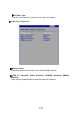
Boot Graphics Adapter Priority
This item specifies which VGA card is your primary graphics adapter.
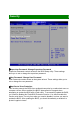
Internal Graphics Mode Select
The field specifies the size of system memory allocated for video memory.
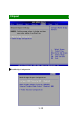
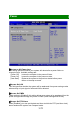
Video Function Configuration
DVMT Mode Select
Intel's Dynamic Video Memory Technology (DVMT) allows the system to
dynamically allocate memory resources according to the demands of the
system at any point in time. The key idea in DVMT is to improve the efficiency
of the memory allocated to either system or graphics processor. It is
recommended that you set this BIOS feature to DVMT Mode for maximum
performance. Setting it to DVMT Mode ensures that system memory is
dynamically allocated for optimal balance between graphics and system
performance.
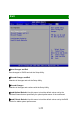
Boot Display Device Use the field to select the type of device you want to
use as the display(s) of the system.
3
-
19