
User`s manual


[Type]
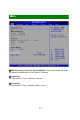
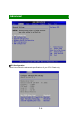
Press PgUp/<+> or PgDn/<-> to select [Manual], [None] or [Auto] type. Note
that the specifications of your drive must match with the drive table. The hard
disk will not work properly if you enter improper information for this category. If
your hard disk drive type is not matched or listed, you can use [Manual] to
define your own drive type manually.
[LBA/Large Mode]
Enabling LBA causes Logical Block Addressing to be used in place of
Cylinders, Heads and Sectors
[Block(Multi-Sector Transfer)]
Any selection except Disabled determines the number of sectors transferred
per block
[PIO Mode] Indicates the type of PIO (Programmed Input/Output)
[DMA Mode] Indicates the type of Ultra DMA
[S.M.A.R.T.] This allows you to activate the S.M.A.R.T. (Self-Monitoring
Analysis & Reporting Technology) capability for the hard disks. S. M.A.R.T is a
utility that monitors your disk status to predict hard disk failure. This gives you
an opportunity to move data from a hard disk that is going to fail to a safe
place before the hard disk becomes offline.
[32 Bit Data Transfer] Enables 32-bit communication between CPU and IDE
device
Hard Disk Write Protect
This option allows users to write protect boot sector on hard disk to protect
against viruses.
IDE Detect Time Out (Sec)
This setting allows you to set the time out value for the BIOS to delay the
initialization of IDE devices.
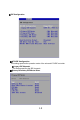
ATA(PI) 80Pin Cable Detection
This BIOS feature allows you to control whether both IDE controller and IDE
device should be allowed to detect the type of IDE cable used.
3
-
9