
User`s manual


Max CPUID Value Limit
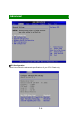
The Max CPUID Value Limit BIOS feature allows you to circumvent problems
with older operating systems that do not support Hyper-Threading Technology.
When enabled, the processor will limit the maximum CPUID input value to 03h
when queried, even if the processor supports a higher CPUID input value. When
disabled, the processor will return the actual maximum CPUID input value of the
processor when queried.
Execute Disable Bit Capability
Intel's Execute Disable Bit functionality, when combined with a supporting
operating system, can prevent certain classes of malicious "buffer overflow"
attacks. This functionality allows the processor to classify areas in memory by
where application code can execute and where it cannot. When a malicious
worm attempts to insert code in the buffer, the processor disables code execution,
preventing damage or worm propagation.
Hyper Threading Technology
The processor uses Hyper Threading technology to increase transaction rates
and reduces end-user response times. The technology treats the two cores
inside the processor as two logical processors that can execute instructions
simultaneously. In this way, the system performance is highly improved. If you
disable the function, the processor will use only one core to execute the
instructions. Please disable this item if your operating system doesn’t
support HT Function, or unreliability and instability may occur.
Intel(R) SpeedStep(tm) Tech
EIST (Enhanced Intel
®
SpeedStep Technology) allows the system to dynamically
adjust processor voltage and core frequency, which can result in decreased
average power consumption and decreased average heat production.
3
-
7