
Projector User Manual


10. Image files menu
Image 10-3
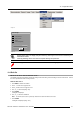
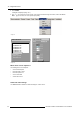
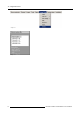
AutoImage
Total pixels/line
Cancel
Start pixels/line
Phase
Contrast/brightness
Image 10-4
The Auto Image setup in the Display setup menu affect only Auto Image if it is launched via the RCU key or at
aut
omatic file creation.
Launching AutoImage via the menu involves complete checking of all parameters.
Auto
Image can also be launched via the RCU with the dedicated AutoImage key.
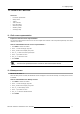
10.3 Edit file
What can be done with the Edit file menu ?
The Edit file menu makes it possible to change the settings of the file according to the real settings of the connected source. Consult
the source specifications before entering the data.
How to edit a file ?
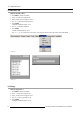
1. Press MENU to activate the Toolbar
2. Press → to select the I m age files item
3. Press ↓ to Pull down the Imag e files menu
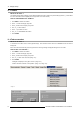
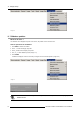
4. Use ↑ or ↓ to select Edit (image 10-5)
5. Press ENTER
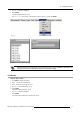
A dialogbox is displayed
6. Us
e ↑ or ↓ to select the desired file
Note: If in PiP mode, the cursor is placed by default on the active file which has the focus.
7. Press ENTER
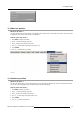
A dialogbox is displayed (image 10-6)
R5976455 BARCO ULTRA REALITY 7000 30062003
67