
Owner`s manual




6. Random Access
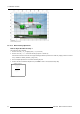
Image 6-37
Fine bow linearity adjustments
6.5.7.5.6 Quadrant selection
What can be done ?
Within this menu it is possible to perform a fine adjustment within a selected quadrant.
How to select the Quadrants ?
1. Push the cursor key ↑ or ↓ to highlight the Fine selection. (menu 6-84)
2. Press ENTER to scroll through the available Fine selections until quadrant is displayed. (menu 6-85)
3. Push the cursor key ← or → to select the de
sired quadrant point.
The COL & ROW indicator will show the corresponding position of the selected grid point and an indication box will show the
selected grid point on the screen. (image 6-38)
GEOMETRY DISTORTION
bow lin top
col=4
row=2
pixelsx=0
y=0
subpixelsx=0
y=0
Menu 6-84
GEOMETRY DISTORTION
quadrant left top
col=2
row=2
pixelsx=0
y=0
subpixelsx=0
y=0
Menu 6-85
R5976661 BARCO TRACE 04122003 85