
Owner`s manual




6. Random Access
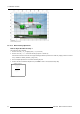
Image 6-34
Fine horizontal or vertical linearity selections
6.5.7.5.3 Fine Horizontal or Vertical Linearity adjustment
How to adjust the Fine Horizontal or Vertical Linearity ?
We assume hor lin left top is selected.
1. Push the cursor key ↑ or ↓ to highlight pixel x = 0. (menu 6-80)
2. Push the cursor key ← or → to shift the selected grid point in a horizontal way.
3. Repeat step 1 to 2 for the Fine h o r lin left bottom selection.
This will result in a fine horizontal linearity adjustment (Follow this procedure in a similar way to perform a fine vertical linearity
adjustment). (image 6-35)
4. Use the subpixel adjustments to fine shift the selected grid point.
5. Continue with the Fine Bow Linearity adjustment or press EXIT to return to the Guided Geometry Map.
GEOMETRY DISTORTION
hor lin left top
col=2
row=0
pixelsx=0
y=0
subpixelsx=0
y=0
Menu 6-80
82 R5976661 BARCO TRACE 04122003