
Owner`s manual




6. Random Access
How to Start Up Gamma?
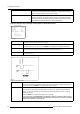
1. Push the cursor key ↑ or ↓ to highlight Gamma. (menu 6-33)
2. Press ENTER to select.
The Gamma barscale will be displayed.
3. Change the Gamma Value by pushing the cursor key ← or → until the desired value is reached.
Note: Default value of gamma : 1.9
4. Press EXIT to return to the Picture Tuning menu.
PICTURE TUNING
COLOR TEMPERATURE
GAMMA
INPUT BALANCE 1
INPUT BALANCE 2
WINDOWING
Select with ↑ or ↓
then <ENTER>
<EXIT> to return
Menu 6-33
6.4.4 Input Balance 1
Why adjusting the Input Balance?
The input balance is normally correct adjusted in the factory. But due to signal distribution or signal transmission outputs a color
imbalance can be the result. This imbalance can be adjusted source by source for color critical applications. These adjustments
influence only the actual custom adjustment file. This procedure is not so easy and is best done or first demonstrated by an autho-
rized Barco service technician.
What can be done?
• When a Mono Image is projected, within this menu, it is possible to adjust the Input Balance of the actual projected source.
• When a Stereo Image is projected, within this menu, it is possible to adjust the Input Balance of the Left Image.
Steps to be taken
To adjust the input balance, the following steps have to be executed in the following order:
1. The procedure is best done when using a source that can generate a full black and full white image.
2. Start with the Black Balance.
3. Continue with the White Balance.
The default values are normally loaded with the factory preset when selecting a source. If the image is not as
desired, continue with the next procedure.
How to Start Up Input Balance 1?
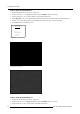
1. Push the cursor key ↑ or ↓ to highlight Input Balance 1. (menu 6-34)
2. Press ENTER to select.
The Input Balance menu will be displayed. (menu 6-35)
PICTURE TUNING
COLOR TEMPERATURE
GAMMA
INPUT BALANCE 1
INPUT BALANCE 2
WINDOWING
Select with ↑ or ↓
then <ENTER>
<EXIT> to return
Menu 6-34
INPUT BALANCE
WHITE BALANCE
BLACK BALANCE
DEFAULT
Select with ↑ or ↓
then <ENTER>
<EXIT> to return
Adjust
red with ↑ or ↓
blue with ← or →
Menu 6-35
R5976661 BARCO TRACE 04122003 55