
Owner`s manual




6. Random Access
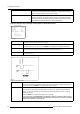
Vertical refresh
[sync/async]
The way of updating the image information on the DMD panels. Not available for PAL-NTSC-SECAM
sources. Where this option will be displayed in gray.
• For sources with a vertical frequency up to 62 Hz : the vertical refresh rate is the same as the
vertical frequency of the incoming source. This is a necessity to project moving images without
’motion artifacts’. For stationary images with a vertical frequency up to 62 Hz it is still possible to
use asynchronous refresh.
• For sources with a vertical frequency higher than 62 Hz : the vertical refresh is different than the
vertical frequency of the incoming source. Synchronous refresh cannot be used.
Vertical Sync Polarity:
[leading] or [trailing]
The vertical refresh can be synchronized with the leading sync edge or trailing sync edge. Default on
[leading]. Toggling to [trailing] is only necessary for special applications where the trailing edge of the
sync signal has to be taken as a reference. Use the ENTER key to toggle between [leading] or [trailing]
6.3.9 Edit WARP2 File
What can be done?
This item is only available when r
unning in Stereo Mode.
How to Start Up Edit WARP2 File?
1. Push the cursor key ↑ or ↓ to highlight Edit WARP2.
2. Press ENTER to select.
The Edit file adaptation menu will be displayed. (menu 6-16)
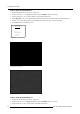
EDIT FILE
F
ilename Scr resolution
xga_60.s01 1 1024x768
xga_60.c01 1 1024x760
xga_60.c02 1 1024x760
xga_60.c03 1 1024x760
----------------------------
Active file : xga_60.c04
Select with ↑ or ↓ , →
<ENTER> to accept
<EXIT> to return
Menu 6-16
6.3.10 Rename File
How to Start Up File Rename?
1. Push the cursor key ↑ or ↓ to highlight Rename. (menu 6-17)
2. Press ENTER to select.
The Rename selection menu will be displayed. (menu 6-18)
3. Push the cursor key ↑ or ↓ to select a file name.
4. Press ENTER to select.
The Rename file menu will be displayed with the selected file name already filled in, leave in the ’From file name :’ area and in
the ’To file name :’ area. The first character in the ’To file name :’ area is highlighted.
FILE SERVICE
LOAD
EDIT WARP1
EDIT WARP2
RENAME
COPY
DELETE
OPTIONS
Select with ↑ or ↓
then <ENTER>
<EXIT> to return
Menu 6-17
RENAME FILE
F
ilename Sc
r resolution
xga_60.s01 1 1024x768
xga_60.c01 1 1024x760
xga_60.c02 1 102
4x760
xga_60.c03 1 1024x760
----------------------------
Active file : xga_6
0.c04
Select with ↑ or ↓ , →
<ENTER> to accept
<EXIT> to return
Menu 6-18
R5976661 BARCO TRACE 04122003 49