
Owner`s manual





7. Installation Mode
Defining the Communication Protocol
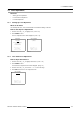
1. Push the cursor key ↑ or ↓ to highlight Infrared. (menu 7-17)
2. Press ENTER to toggle between [PPM] or [RC5].
800-PERIPHERAL
INFRARED [PPM]
CLO USING COM800: [NO]
<ENTER> to toggle
<EXIT> to return
Menu 7-17
7.7.3 COM800 Protocol
What can be done?
CLO and Dynacolor™ can be activated in a linked system setup using the RS232 Protocol + Ports, or by using the COM800 Protocol
+Ports.
By using the COM800 Protocol + Ports, the RS232 Ports can be used for a RS232 linked setup, CLO and Dy-
nacolor™ are received through the COM800 Ports, general RS232 commands are received thro
ugh the RS232
Ports.
How to change the COM800 Protocol Activation?
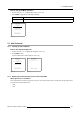
1. Push the cursor key ↑ or ↓ to highlight CLO using COM800: [NO]. (menu 7-18)
2. Press ENTER to toggle between [NO] or [YES].
800-PERIPHERAL
INFRARED [PPM]
CLO USING COM800: [NO]
<ENTER> to toggle
<EXIT> to return
Menu 7-18
7.8 Configuration
What can be done?
The way of physical installation of the projector can be defined to the projector.
The following installation configurations are possible:
• Front / Table
• Front / Ceiling
• Rear / Table
• Rear / Table
How to set Configuration?
1. Push the cursor key ↑ or ↓ to highlight Configuration
. (menu 7-19)
2. Press ENTER to select.
The configuration menu will be displayed. (menu 7-20)
3. Push the cursor key ↑ or ↓ to highlight the desired configuration e.g. Front / Table.
122
R5976661 BARCO TRACE 04122003