
Owner`s manual





7. Installation Mode
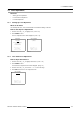
How to change the Menu Position?
1. Push the cursor key ↑ or ↓ to highlight Menu Position. (menu 7-14)
2. Press ENTER to toggle between [CENTER] or [EDGES].
[EDGES]
The Menu will always be displayed in the bottom right corner.
[CENTER] The Menu will always be in the middle of the image.
INSTALLATION
INPUT SLOTS
NO SIGNAL
LENS
MENU POSITION [CENTER]
800-PERIPHERAL
CONFIGURATION
OSD COLOR
INTERNAL PATTERNS
Select with ↑ or ↓
then <ENTER>
<EXIT> to return
Menu 7-14
7.7 800–Peripheral
7.7.1 Starting Up 800–Peripheral
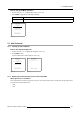
How to Start Up 800–Peripheral?
1. Push the cursor key ↑ or ↓ to highlight 800–Peripheral. (menu 7-15)
2. Press ENTER to select.
The 800–Peripheral menu will be displayed. (menu 7-16)
INSTALLATION
INPUT SLOTS
NO SIGNAL
LENS
MENU POSITION [CENTER]
800-PERIPHERAL
CONFIGURATION
OSD COLOR
INTERNAL PATTERNS
Select with ↑ or ↓
then <ENTER>
<EXIT> to return
Menu 7-15
800-PERIPHERAL
INFRARED [PPM]
CLO USING COM800: [NO]
<ENTER> to toggle
<EXIT> to return
Menu 7-16
7.7.2 Defining the Communication Protocol of the RCVDS05
Which protocols are available ?
When a RCVDS05 is connected to the projector, the type of communication protocol used to communicate with the peripheral has
to be defined in the 800 peripheral menu.
•PPM
• RC5
R5976661 BARCO TRACE 04122003
121