
Technical data






Setup Mode ◆ Entering Setup
310633C 31
Setup Mode
Entering Setup
Press the Setup key to enter or exit Setup.
Password Screen
If a password was activated, you must enter the pass-
word before entering Setup mode. Refer to Advanced
Screen 3, page 37. Entering the wrong password
returns you to the Run Screen.
Setup Screen Menu
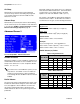
The Setup Screen Menu appears at the bottom of all
Setup screens, with the current screen highlighted. F
IG.
32.
Advanced setup has 3 screens. All other setup selec-
tions have only 1 screen.
Key Commands
In addition to the numbered keys on the EasyKey™ key-
pad, which are used to enter values in setup, there are
the following keys to navigate within a screen and
between screens, and to save entered values.
If you forget the password, you can reset the
password (to 0), using the ProMix™ II Data
Download Kit 234668
F
IG. 30: Setup Mode - Password Screen
If a password is activated, “Setup Locked” displays
momentarily after exiting Setup mode and returning
to the Run Screen.
F
IG. 31
FIG. 32: Setup Mode - Color Setup Screen
Key Function
Setup: press to enter or exit Setup mode.
Enter: if cursor is in drop-down list box,
press Enter key to view drop-down list. See
F
IG. 33. Press Enter to save a value either
keyed in from the numerical keypad or
selected from a drop-down list.
Up Arrow: move to previous field or
drop-down list item.
Down Arrow: move to next field, or
drop-down list item.
Left Arrow: move to previous screen.
Right Arrow: move to next screen.
Setup Screen
Menu