
Operating Instructions and Installation Instructions

Wireless LAN—Getting Technical
FRITZ!Box 3390 87
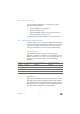
3. Open “WLAN > Radio Channel” and select which wireless
LAN standards should be used for the 2.4-GHz frequency
band. For the 5-GHz frequency band the setting
“802.11n+a” is already configured.
• Your FRITZ!Box 3390 can make two wireless LAN networks
available simultaneously for data transmission. One of
the wireless radio networks works in the 2.4-GHz frequen-
cy band, and the other in the 5-GHz frequency band. This
means the FRITZ!Box can be implemented as an especial-
ly flexible wireless LAN access point for the various wire-
less devices and applications in your network.
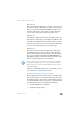
• Set the standards of the two wireless radio LAN networks
in the FRITZ!Box such that they are compatible with all of
the wireless devices used in the wireless network.
Make a note of which standards the wireless devices in your
network are compatible with and then adjust the FRITZ!Box
settings according to the following information:
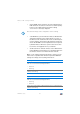
Note the following for the configuration of this setting:
11n, 11g
In your radio network there are wireless devices that are compatible
with one or both of the following standards:
• 802.11n
• 802.11g
In this case set the wireless LAN standard for the 2.4-GHz frequency
band to: 802.11n+g
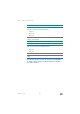
11g, 11b
In your radio network there are only wireless devices compatible
with one or both of the following standards:
• 802.11g
• 802.11b
In this case set the wireless LAN standard for the 2.4-GHz frequency
band to: 802.11b+g