
Manual



User’s Manual
Table of Contents
1. Introduction.................................................1-1
2. Scanner Installation.....................................2-1
2.1 Installing the ADF Paper Tray.......................... 2-2
2.2 Installing the ADF Output Paper Tray ............... 2-3
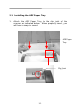
2.3 Installing Front Paper Tray ............................. 2-4
2.4 Installing the Scanner Driver and Connecting the
Cables ......................................................... 2-5
3. Completing Your First Scan ..........................3-1
3.1 Loading Your Paper ....................................... 3-1
3.2 Verifying Your Scanner Installation .................. 3-4
4. Using the Scanner Properties Dialog Box .....4-1
4.1 Buttons on the Scanner Properties Dialog Box ... 4-2
4.2 The Image Tab ............................................. 4-4
4.3 The Compression Tab ...................................4-23
4.4 The Color Dropout Tab..................................4-25
4.5 The Paper Tab .............................................4-29
4.6 The Multi-Feed Detection Tab.........................4-38
4.7 The Preview Tab ..........................................4-46
4.8 The Options Tab...........................................4-47
4.9 The Setting Tab ...........................................4-55
4.10 The Imprinter Tab .....................................4-58
4.11 The Information Tab ..................................4-62
5. ISIS Interface Operation..............................5-1
6. Using the Buttons.........................................6-1
6.1 Installing Button Manager............................... 6-1
6.2 Checking Button Configurations Before Scanning 6-2
6.3 Scanning From One Touch of the Buttons.......... 6-4
v