
User`s manual





E-35
Menu Operation Method
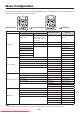
Names and Functions of the Buttons Used in Menu Operation
MENUButton
Used to display a menu and to close a
menu.
SET/POINTERButton
Used to finalize a setting after making
the setting or adjustment.
SCROLL▲▼◀▶Buttons
Used in the selection of menu names
and item names, and to set and adjust
item contents.
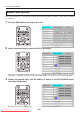
Names and Functions of the Menu Parts
Menutab
Switches to the various
menus when selected.
Adjustmentbar
Indicates the adjustment condi-
tion according to the increase or
decrease of the bar point.
Submenuicon
When an item containing this icon is selected, there is a change
to the sub menu.
Cursor(Lightblue)
Selects the item that you would
like to set or adjust.
Returns the set or adjusted item to
the standard value (shipping de-
fault condition of our factory).
Returns to the menu that is one layer higher.
Downloaded From projector-manual.com Avio Manuals