
User Manual




5
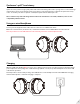
When the LED starts blinking RED once every 10s, or when you hear “beep” / prompts sound, you should recharge
your headphones. Please plug it into a USB wall charger (DC 5V / 0.5-2A) or a powered USB port via the micro USB
cable that we provided.
Normally it takes 2 hours to fully recharge. The LED indicator on the headphones will remain RED while charging
and automatically turn o when the charging is complete.
Charging
aptX-Low Latency delivers high quality 16bit audio while minimizing audio/video syncing issues. To take advantage
of this feature, please ensure that the audio source device or the transmitter also supports the aptX-Low Latency
codec. To check if your device is aptX-LL certied,visit aptX’s website: www.aptx.com.
We recommend any of the following Avantree Bluetooth transmitters - Oasis Plus, Audikast, Leaf to ensure
compatibility with the AS90P.
Qualcomm® aptX™ Low Latency
You may use the supplied 3.5mm audio cable to connect to a non-Bluetooth device.
Note: The control buttons, the built-in mic, and the detachable boom mic DOES NOT work in wired mode.
Note: If you wish to use the ANC function in wired mode, please turn on the headphones rst.
Using as a wired headphone