
Specifications



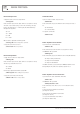


Description Command Response Notes
Get input cross-mix level %PCML:xy??<CR> %PCML=xyzz<CR> x ranges from 01 to 04
y ranges from 01 to 04
zz ranges from 00 to E1
Get input cross-mix mute %PCMM:xy??<CR> %PCMM=xyzz<CR> x ranges from 01 to 04
y ranges from 01 to 04
zz ranges from 00 to 01
Set input cross-mix level %PCML:xyzz<CR> %PCML=xyzz<CR> x ranges from 01 to 04
y ranges from 01 to 04
zz ranges from 00 to E1
Set input cross-mix mute %PCMM:xyzz<CR> %PCMM=xyzz<CR> x ranges from 01 to 04
y ranges from 01 to 04
zz ranges from 00 to 01
Get output level %PLVL:x??<CR> %PLVL=xyy<CR> x ranges from 01 to 04
yy ranges from 01 to E1
Get output mute %PMUT:x??<CR> %PMUT=xyy<CR> x ranges from 01 to 04
yy ranges from 01 to 01
Set output level %PLVL:xyy<CR> %PLVL=xyy<CR> x ranges from 01 to 04
yy ranges from 01 to E1
Set output mute %PMUT:xyy<CR> %PMUT=xyy<CR> x ranges from 01 to 04
yy ranges from 01 to 01
Get green mode %PGRN:??<CR> %PGRN=xx<CR> x ranges from 00 to 01
Set green mode %PGRN:xx<CR> %PGRN=yy<CR> x ranges from 00 to 01
yy ranges from 00 to 01
Get version info %PVER:??<CR> %PVER=AMDxy00P, aabbcccc xy is either 21,22,41 or 42
aa is the FW version major num
bb is the FW version minor num
cccc is the FW version revision
Get amp status %PAMP:x??<CR> %PAMP=xyy<CR> x ranges from 01 to 04
yy ranges from 00 to 02
PAGE 9
AMD2200P INSTALLATION AND OPERATION MANUAL
COMMAND SUMMARY