
User guide


UM-CV-751-USBKVM-Q215V4 www.austin-hughes.com
4.1 KVM Button
4.2 Password
4.3 KVM OSD
4.4 KVM Hotkey & Remote Console Hotkey
4.5 DC Power Option : 12V / 24V / 48V / 110 ~ 125V
4.6 Resolution Support Information
IP-802H IP-1602H
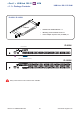
1.1 Package contents
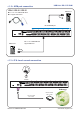
1.2 KVM port connection
1.3 IP & Local console connection
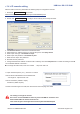
1.4 IP console setting
1.5 Important Preconfi guration for IP console
1.6 Built-in USB hub usage & connection
1.7 Specifi cations
CV-801H CV-1601H
3.1 Package contents
3.2 KVM port connection
3.3 Built-in USB hub usage & connection
3.4 Specifi cations
CV-802H CV-1602H
2.1 Package contents
2.2 KVM port connection
2.3 Remote & Local console connection
2.4 Built-in USB hub usage & connection
2.5 Specifi cations
Contents
< Part 1 > USB Hub DB-15 2-console KVM
< Part 2 > USB Hub DB-15 2-console KVM
P. 1
P. 2
P. 2
P. 3
P.4 - 5
P. 6
P. 7
P. 8
P. 9
P.9 - 10
P. 11
P.12
P.17
P.18
P.19
P.20
P.21
P.22
< Part 4 > Usage
< Part 3 > USB Hub DB-15 KVM
P.13
P.14
P.15
P.16