
User manual



alpha Configuration Suite User Manual
Page 5 of 33
21003-1.2
alpha Configurations using a PC
The alpha is configured by a simple ASCII text file. This file can be downloaded to the alpha
and uploaded to the configuration PC for analysis and modifications.
When configuring the alpha using the Windows alpha configuration suite, the generation of
the ASCII text file is done for you. The configuration suite also checks the configurations for
errors. It is possible to edit the file using a simple text editor such as notepad, but caution
should be taken as the configuration will not be checked for errors, and this could cause the
alpha to not operate as desired.
Installing the alpha configuration suite
The alpha configuration suite is designed to operate in a Microsoft Windows 95/98
environment.
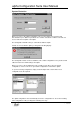
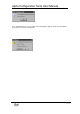
Insert the installation disk. Select “Run” on the “Start Menu”
Within the box type a:\setup.exe, then Click on the “Ok” box.
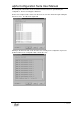
Follow the menus on screen to complete installation.
Running the alpha configuration suite.
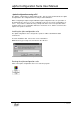
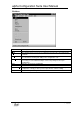
Click on the alpha configuration suite Icon to start the program.