
Specifications




29
Classic domain
ADVANCED MANUAL / TH quattro
0
5
8
7
6 4
3
2
19
IN A IN B OUT A
DIGITAL AUDIODC OUT CONTROL BUS REM
OUTINADRS
IN
OPTICAL
GND
+15
-15
OUT - AD Link - IN
L R L R L R
1 - AC Link - 2
0
5
8
7
6 4
3
2
19
SPEAKER A SPEAKER B
+
-
+
-
POWER
+
-
+
CAP
12 V
SS1 SW1 or SW2
BRIDGE 0 180
PHASE
MASTER
CHAIN
PUSH
LEVEL
0.3 ÷ 1.2V RMS
1.2 ÷ 4.8V RMS
Hi :
Lo :
TH uno
Front Panel Rear Panel
DRC (Optional use)
Subwoofer
USB / AC Link Converter
AC/Net (Optional use)
Source
Front Panel Rear Panel
REM Out
Pre Out
RIGHT
CHANNEL
mono
mono
A Channels B Channels
POWER
12 V
LEFT RIGHT
+
-
+
CAP
+
+
-
-
LEFT RIGHT
+
+
-
-
Tweeter
Woofer
WM2 or WT1 WT2 or MT1 WT2 or MT1
Rear (Optional)
Front
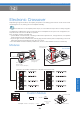
Example: Two Way+Sub, multi-amplified, TH amplifier
Analog Input
In order to build
a Standard
System:
You have to follow
same steps as per
the above
example. The only difference is
for point 4, where the second
TH is TH uno (mono);
In order to add DRC to
the System you also
need to:
7-Give the Front Panel ADRS of
each of the two amplifiers a
different setting (Example: 1
and 2);
8- Configure the Amp ID on the
ASC Setup Amplifier of the two
amplifiers by setting TH quattro
A Ch as Front TW and B Ch as
Front WF and TH uno as Sub;
9- Set the TH quattro ID Preout
as TH Amp, to let DRC adjust
general Volume, Balance,
Fader as well as Sub Volume.
In order to adjust the
system through the
ACNet:
Once the steps 1, 2,
3, 4, 5 and 7 have
been performed, the
Software will
temporarily bypass
the DRC in order to
manage in a more
direct and easier
way all of the system
functions.
REMARK:
On ASC Dual Power
and Runtime Monitor
will anyway stay
active (by default)
and ready for
changes (see page
47 and following
pages).