
Owner`s manual




124
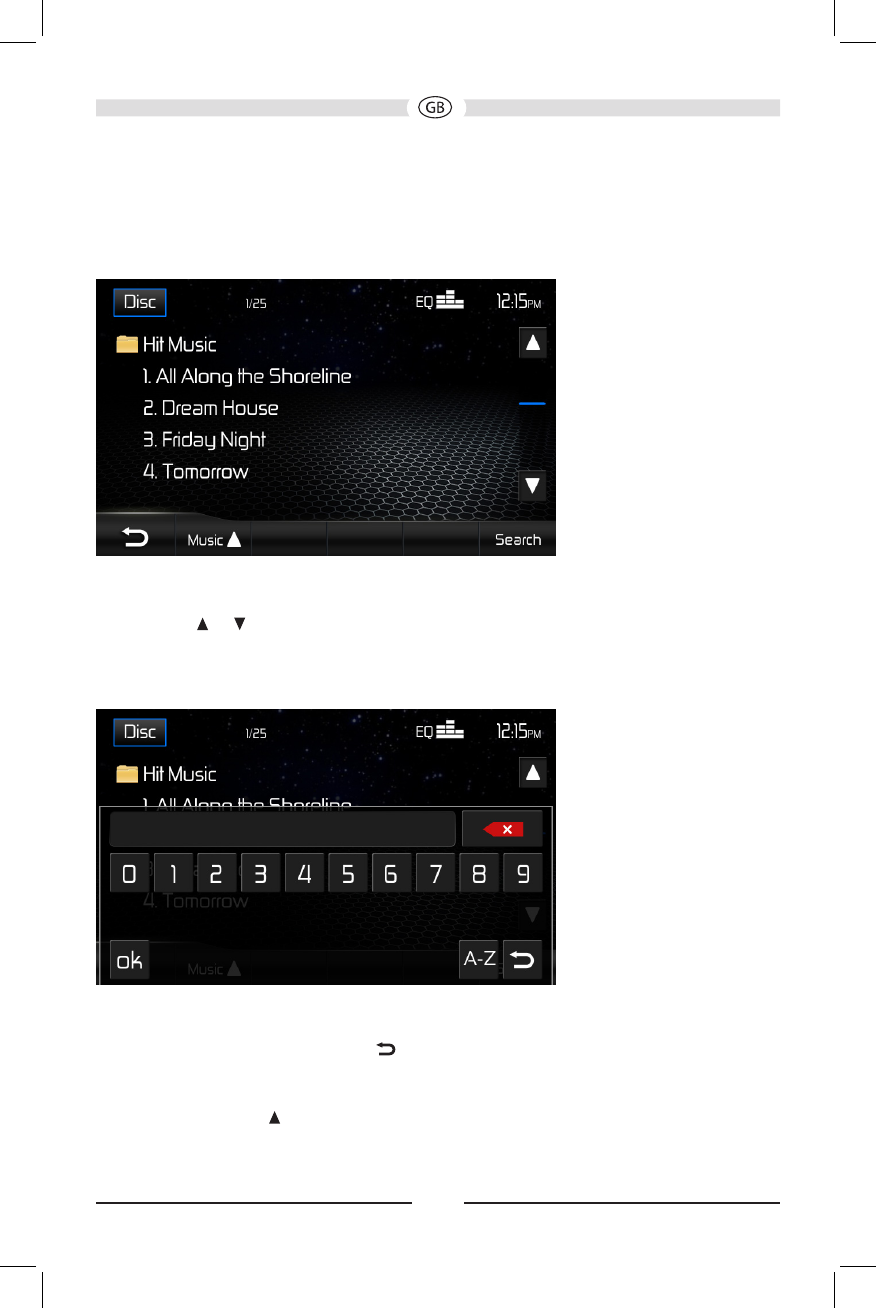
Playlist Screen
The Playlist screen allows you to directly search for music, video or photo les stored
on your MP3 disc/USB device.
• Touch a folder to view the contents of the directory or touch a track title/le name to
begin playback of that le.
• Touch the or icon to scroll up or down the page.
• Touch the Search icon to access the Disc Search Screen.
Disc Search Screen
Enter the desired track the on-screen number pad. If you wish to delete an entry
number touch the red X on the keypad. Press ok to play to the selected track. To exit
the screen, touch the return button .
Search Playlist by File Type
1. Touch the MUSIC icon.
2. Touch “MUSIC,” “PHOTO” or “VIDEO”. The list of les that appear will be ltered
by the type of le selected.