
Owner`s manual




121
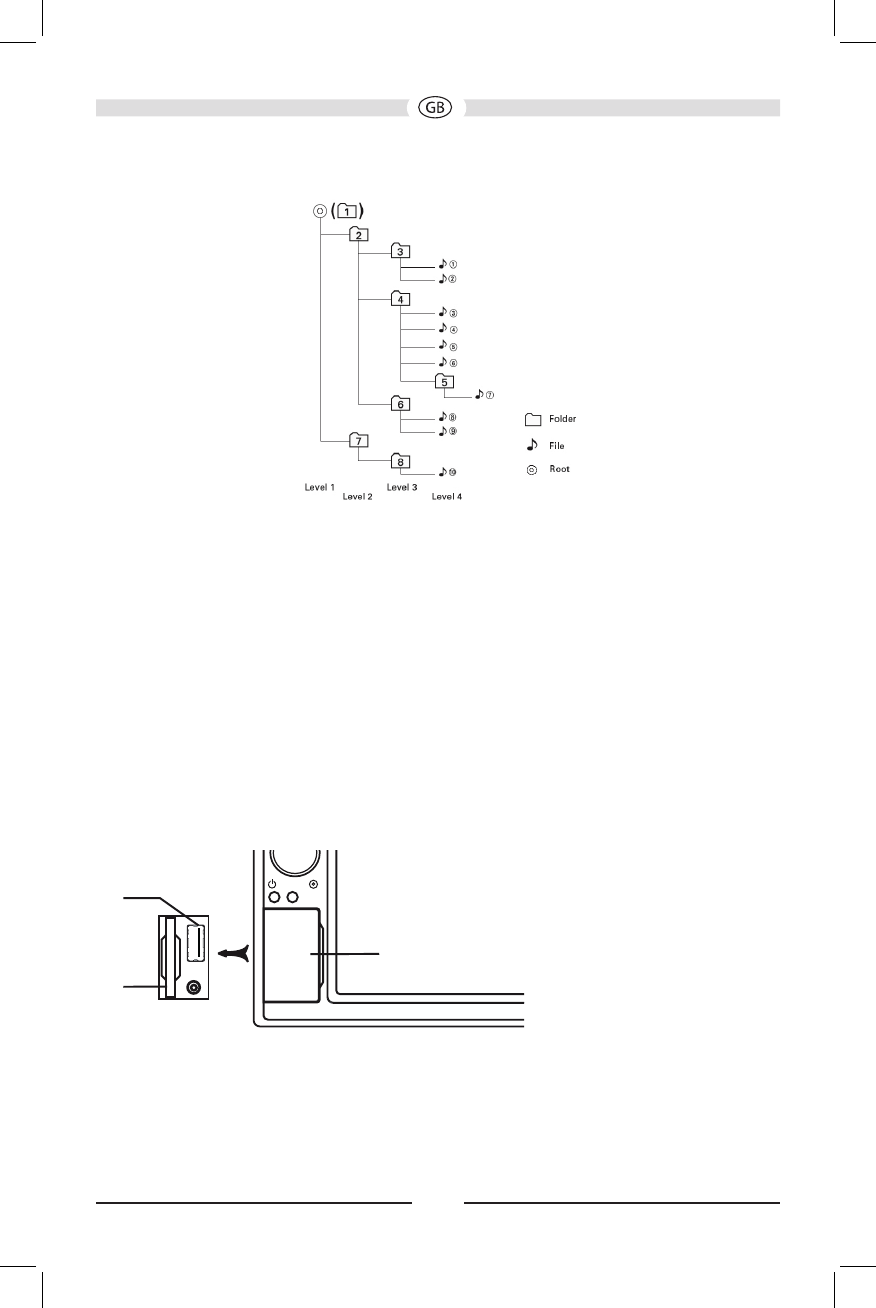
The VME 9725 NAV player will only recognize three folder levels and does not display
folders containing only other folders. In the example above, the unit will display
folders 3, 4, 6, and 8, but not 2 and 7 since they do not contain any tracks directly.
Folder 5 is not recognized at all since it is at the fourth level.
Inserting a USB/SD Card Device
NOTE: Front and rear USB ports are for either Apple iPod / iPhone devices, USB
memory sticks or portable HDD. The rear 3.5 mm connector (bundled with the
USB port) is for iPod / iPhone video only. The USB/SD ports will recognize most
USB/SD ash memory devices and portable hard drives. The unit supports
8GB SD cards (however SD cards larger than 8GB may not be recognized) and
portable hard drives (hard drives must be formatted to FAT32 and NTFS is not
supported).
1. Locate the USB/SD connector on the front of the radio.
NAV
SRC
EJECT
Abdeckklappe/
Protective cover
Önen/
Open
VME 9725 NAV
U
SB-Anschluss
U
SB Port
SD-Kartenschlit
z
SD CardSlot
2. Lift the protective cover to reveal the USB/SD slots.
3. Insert the USB/SD device into the USB/SD connectors. The unit will read the
audio/video les on the USB/SD device automatically.
To remove the USB/SD device, press the SRC button or use the SOURCE MENU to
switch to another mode, and then remove the USB/SD device from the connector.