
Owner`s manual




100
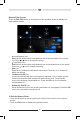
Language Sub-menu Settings
If a DVD supports more than one subtitle or audio language, all the languages are
available for selection during playback. If the selected language is not supported by
the DVD, then the default language is used.
Setting Options Function
OSD English On Screen Display appears in English.
French On Screen Display appears in French.
German On Screen Display appears in German.
DVD Audio English Audio is heard in English when the option is
available.
French Audio is heard in French when the option is
available.
German Audio is heard in German when the option is
available.
DVD Subtitle English DVD subtitles automatically appear in English
when available.
French DVD subtitles automatically appear in French
when available.
German DVD subtitles automatically appear in German
when available.
Off DVD subtitles do not appear.
Disc Menu English DVD menu (if applicable) is displayed in English.
French DVD menu (if applicable) is displayed in French.
German DVD menu (if applicable) is displayed in German.