
User manual







DELETING A PHONEBOOK ENTRY
1. From standby mode, press the OK Key
[OK] to unlock the
keypad, press the Right Soft Key [Phonebook].
2. Press the Directional Key
up or down to highlight the
Phonebook entry to be deleted.
3. Press the Right Soft Key
[Options].
4. Slide out the QWERTY keyboard, and then press ”3. Erase”.
5. Press the Right Soft Key
[Yes]. A confirmation message
appears.
ENTERING LETTERS, NUMBERS & SYMBOLS
Your device has a QWERTY keyboard that provides a superior typing
experience on a small handheld device for easy and comfortable input.
You can use all of the handset functions with the keyboard either closed
or open. When you slide open the keyboard you have the extra benefit of
a full messaging keyboard.
Your device has dictionaries for English. The appropriate dictionary is
activated automatically when you select a language on your device.
30
Chapter 3 − Memory Function
Memory FunctionMemory Function
Your device uses the active dictionary to suggest corrections or complete
the word you’re typing.
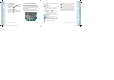
1. [
] Mode Change Key:
•
When in idle mode :
- Slide out the QWERTY keyboard, and then press to change
between entering numbers and letters that appear on the
same key.
- Press and hold Mode Change Key to lock in numeric mode or
text entry mode.
•
When in Text entry mode :
- Press to change between entering upper and lower case letters.
- Press and hold to lock in numeric or text entry mode.
2. [ ] Word Change Key: When in text entry mode, press to select
the next matching word.
3. [
] Space Key: Press to accept a word and add a space.
4. [ ] Symbols Key: Press to open symbols list.
5. [ ] Caps Key: Press to select a letter case for the standard text
[Abc] input mode. [Abc], [ABC] and [abc] indicate the standard text
input.
6. [ ] Enter Key: Press to insert a carriage return.
7. [
] Del Key: When in a Text entry field and in entry mode, press to
delete the character to the left of the cursor. Press and hold to delete
the entire word or character string that was just entered.
8. [ ] CLR Key: When in a Text entry field and in entry mode, press
to delete the character to the left of the cursor. Press and hold to
delete the entire word or character string that was just entered.
For best performance in low-light environments, your handset includes a backlight
feature that can illuminate both the display and the keyboard so you can keep reading
and typing. (Please refer to page 52 for more details on “Backlight Duration”.)
Memory Function − Chapter 3
31
Memory FunctionMemory Function
1
3 4 5
6
7
2
8
081027_TXT8010_ELVIS_MV_M_EN_REV03.indd 30-31081027_TXT8010_ELVIS_MV_M_EN_REV03.indd 30-31 2008.11.3 5:4:56 PM2008.11.3 5:4:56 PM