
User`s manual




32
8 Playing discs
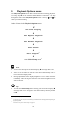
If the ART G3 is not switched on yet, press the power key on the front
panel or key ART of the Audionet Metal Remote Control RC 1 to switch
on the unit.
Open the cover on top of the unit by pushing it to the back.
Put a disc onto the spindle with its printed side facing up. Fix disc with
included stabilizer ('Puck'). Please make sure that the stabilizer gives the
disc a centred and level position.
Important
· Never load more than one disc at a time, and never use any additional
stabilizers!
Press key play on the front panel or 4 of the Audionet Metal Remote
Control RC 1 to start playback.
8.1 Playable disc types
The following disc types are suitable for playback:
Audio-CD
CD-R
Discs of types CD-R can be played back if they were recorded in the
Audio-CD format. Due to characteristics of the disc or recording condi-
tions, in some cases playback might not be possible.
Important
· Possibly, some Audio CDs not compliant to the Red Book standard
will not play correctly or not at all on the ART G3. Particularly copy-
protected CDs often violate the standard. Please notice the logos and
notes on the CD and/or booklet.
· If you playback a DTS
*2
Music CD with the ART G3, all analog
outputs will always and the digital outputs, OUT 1 9 , OUT 2
10 and OUT 3 11 will output in HighBit mode a high level
noise, that might damage your speakers!
*2
DTS and the DTS Digital Surround are registered trademarks of Digital Theater Systems, Inc.