
Specifications




21
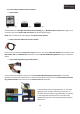
You must check that the MMI control option is ON in the Advanced Settings menu (push the ◀ button for 5
seconds to enter to the interface advanced settings menu or push the following button combination: ▲→ ▼→
▲→ MENU)
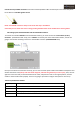
Push MENU button of the remote control until the advanced menu settings of the multimedia interface disappears
from the screen.
Remember to do again a touch calibration after adjusting the screen’s image.
Now you can insert the maps SD Card to the GSP Box.
3.2. RESET:
If you RESET the GPS Box or the multimedia interface, repeat again the steps from the chapter 3.1, maybe, when you
perform a RESET on it, the language of the GPS Box could be changed, follow the next steps to config. it again to your
desired language:
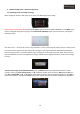
Make a touch calibration of the GPS Box following the steps described before, now push the “Settings” button, then
push the “Usual Setup” button and select the language that you prefer.
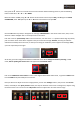
NOTE: If you change the position of the RGB to AV Switch from the GPS Box (in RGB default position) it will RESET,
then follow the steps described before to adjust the system again.