
Specifications



16
2.7. Voice module installation and connections:
Voice module:
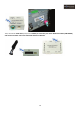
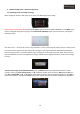
fig.1 fig.2 fig.3
Voice Module with a LED Light that indicates that is working (fig. 1), Quadlock cable connection port (fig.2), Jack
connection port for the Audio cable connection and volume regulator (fig.3)
NOTE: Voice module for the audio signal to the vehicle’s front speakers.
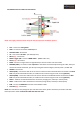
Audio connection cable from the voice module:
Insert to the voice module the black jack 3.5 type connector, connect the white and the red RCA connectors to the
RCA AUDIO L OUT and AUDIO R OUT connectors from the “GPS Box POWER wiring harness” (red to red, white to
white).
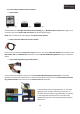
Voice module Quadlock Plug and Play harness:
Connect the female Quadlock connector of the Voice module Quadlock Plug and Play harness, to the male
Quadlock connector of the vehicle (once you have removed vehicle’s radio), connect the Voice module Quadlock
Plug and Play harness male connector to the vehicle’s Power IN connection.
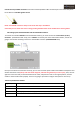
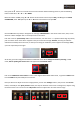
In vehicles which have in the Quadlock, the "E" connector
(light grey color), it will be necessary to remove the "E"
connector from the vehicle's original Quadlock, and place it
in the empty hole that will connect to the radio of the
supplied wiring harness "Voice module Quadlock Plug and
Play harness"