
Specifications



15
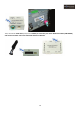
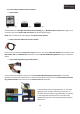
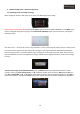
RGB OUT and TOUCH SCREEN connectors:
• RGB OUT: Connect to the “RGB” port of the multimedia interface POWER connector
• TOUCH SCREEN: Connect to the multimedia interface “Touch cable” – (4 wire) (TOUCH OUT cable *1ea)
Make sure that you are doing correctly the connection from the GPS Box “TOUCH SCREEN” cable to the multimedia
interface “Touch cable” (TOUCH OUT cable *1ea).
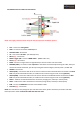
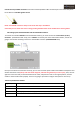
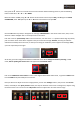
POWER cables, speaker and mute:
NOTE: The POWER connection always must be the last step in installation.
• Black cable: GND, connect to the vehicle’s mass (you must weld, don't braid)
• Red cable: ACC, connect on +12V ACC ignition
• Yellow cable: BATT+, connect on +12V ACC ignition
• White/blue cable: SPEAKER, (Speaker connection, optional)
• Green cable: AUDIO CONT, (Mute, optional)