
Specifications



14
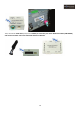
USB extension cable:
Connect to the USB port interface GPS Box of the
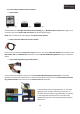
GPS Box POWER cable:
Connect to the interface GPS Box POWER & DATA port interface GPS Box
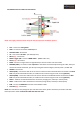
RCA and Jack connectors:
• White Conector: AUDIO L OUT, connect to the left side audio IN of the voice module
• Red Conector: AUDIO R OUT, connect to the right side audio IN of the voice module
• Green Conector: Green MIC, jack 3.5mm connection for microphone (if it’s going to be used)
• Yellow Conector: VIDEO OUT, GPS Box video out connection (if RGB OUT is not being used)
• Black Conector: IR, No function
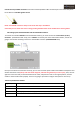
GPS Box must be accessible to be able to connect the SD card, the placement on the auto glove
compartment it’s ok, holded by double face tape or with plastic flanges, will be enough, you also have to
make a hole (diameter of about 20mm) on the back of the glove compartment to pass the GPS Box cables
through it.