
Specifications



12
2.5. Aftermarket rear camera connection:
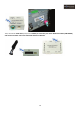
To connect an aftermarket camera (not original), you have to connect to the interface multimedia “R-CAM” port, the
“CAM” connector that has 2 cables, a red one and a black one. The red one will supply the cam +12V, and the black
one to a ground. If you do this way, the multimedia interface will supply power to any camera that you connect. It is
very important to do this connection, because if you don’t proceed this way, camera won’t work. You also should
connect the RCA video of the camera to the RCA connector “REAR C” and also the “REAR” cable to a signal from
rear light bulb if you want to install a rear view camera.
VERY IMPORTANT: If you don’t connect the ”REAR” cable to the signal from the rear light, the “CAM” connector
won’t supply power to the camera, so the camera won’t work.
Don’t forget to adjust the DIP Switch 7 of the multimedia interface once all connections have been done:
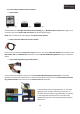
DIP Switch 7 – Enable/disable aftermarket rear camera or OEM
• DIP Switch 7 Up – enable OEM camera / without aftermarket rear camera
• DIP Switch 7 Down – enable the aftermarket camera
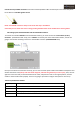
The rear gear signal mustn’t pass through any box (Filter FUSE BOX) so, you must cut the cables connected to the
filter fuse box incoming from the rear gear signal and the output from this.
Follow the indications below:
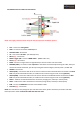
- Rear gear bulb signal -> Input no "85" Relay
- 12+ ignition -> Input "30" Relay
- Ground -> Input "86" Relay
- Relay’s output (To the Multimedia interface grey cable) -> Input "87" Relay
Attention; new Audi cars model year from 2011 to nowadays, rear light signal needs to install a
relay to filter signal pulses. Please pay attention to the information below.